Why Does My Fart Together Raft Keep Spinning?
A spinning Fart Together raft is almost always too many inputs on one body, not a bug. Here is how to confirm it and the correction order that stops the spin.
Last updated:
Your Fart Together raft is spinning because multiple players are pushing against each other's inputs on a single shared body, which is much worse with four players than with two.
- Fart Together is a physics-based co-op raft game for Windows PC on Steam by GamesMrkt.
- Two to four players share one inflatable raft, meaning every player's input acts directly on the same raft.
- Two players find the raft easier to control than four players because there are fewer competing inputs.
Doesn't apply when: Game-specific control settings menus have not been verified by the developer, so you cannot rebind keys through an in-game panel at this time.
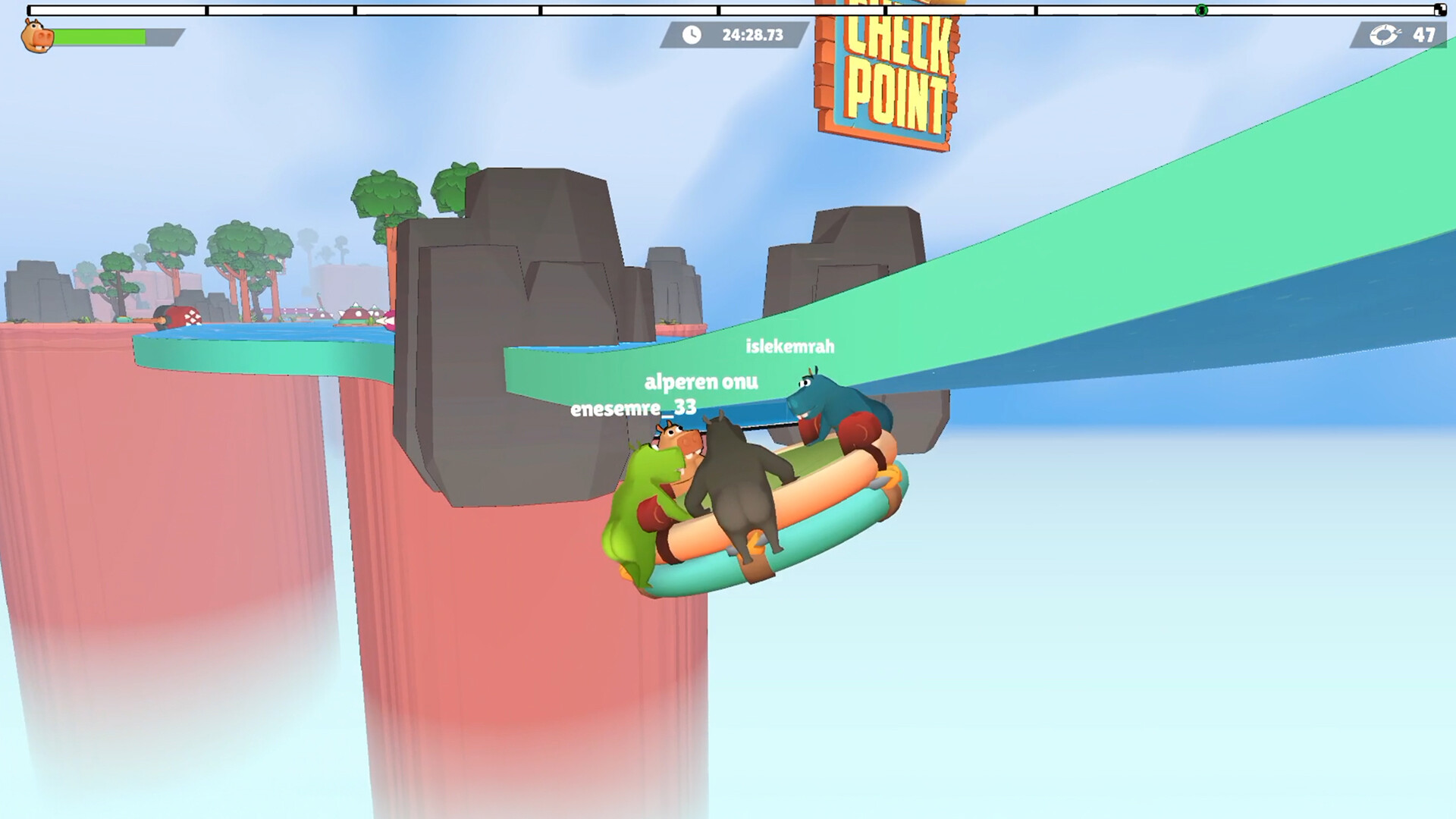
Source note: Everything on this page that describes the game comes from the official Steam listing and from our own sessions in the demo (app 5208630, checked 24 October 2026). Steps that belong to Windows or the Steam client are standard client behaviour, not game features. Where a fix would require a setting the developer has never documented, we say so instead of inventing a menu name.
Short answer
Almost always over-correction: everyone is pushing in a different direction at the same moment, so the raft rotates instead of moving. Stop all input for a beat, let it settle, then have one player steer.
Check these in order
| # | Symptom | Most likely cause | How to verify | Fix |
|---|---|---|---|---|
| 1 | Raft spins in circles while all four players press movement keys | Conflicting inputs from too many crew members | Watch all four player avatars inputting commands simultaneously while the raft rotates on screen | Have all players release their keys entirely for three seconds, then let one player take charge of steering |
| 2 | Persistent drift when launching via Steam friends list invite | Network desync causing input lag | Look at the Steam overlay and check if voice chat or friend connection indicators show high latency | Reconnect to your friend via the Steam friends list to refresh the connection session |
| 3 | Unresponsive turning during a Windows PC session | Operating system background task interference | Press Alt+Tab to look at your Windows desktop taskbar and check for active heavy background applications | Close resource-heavy Windows applications to free up system cycles for the Steam app |
| 4 | Sudden rotation glitches after switching between demo and full game | Running the wrong Steam application binary | Look at your Steam library to confirm whether you have launched the free demo (Steam app 5208630) or the full game (Steam app 5117550, releases 29 October 2026) | Exit the application and launch the correct Steam app ID from your library |
| 5 | Complete loss of directional control after a crash | Corrupted local application files on Windows | Open your Steam library properties for Fart Together and check if file validation reports missing data | Uninstall the game through Steam and reinstall it fresh |
With two players, the raft is noticeably easier to control than with four players because there are simply fewer competing inputs acting on the single inflatable raft. When four players try to navigate at once, every input acts on the same raft, easily creating a torque loop that sends the vessel spinning out of control.
If you suspect conflicting inputs, coordinate verbally outside the game or designate a single navigator. Because Fart Together is a physics-based co-op raft game for Windows PC on Steam by GamesMrkt, every single user action translates directly into physical forces on the hull, meaning chaos multiplies rapidly as your crew size increases from two to four.
If none of that worked
If stopping all inputs and checking your network connection through the Steam friends list does not stop the spinning, the cause may lie outside our current knowledge base. Fart Together is developed by GamesMrkt for Windows PC on Steam, and we have not verified whether additional physics adjustments or save behaviours exist, as the developer has not documented them.
When troubleshooting steps fail and you suspect a bug rather than player over-correction, you should contact the platform provider rather than this independent wiki. Visit Steam Support to submit a help ticket regarding your game session or installation issues.
Related
- Read about the Fart Together demo versus full release differences.
- Learn how to join friends in Fart Together.
- Check the Fart Together open questions list for unverified features.
Does seating position change how much each player's input moves the raft in Fart Together?
Where your avatar sits on the inflatable raft actually changes the leverage of your movement commands, directly altering how much force your specific input applies to the shared physics body. Because Fart Together is a physics-based co-op raft game for Windows PC on Steam by GamesMrkt, position matters immensely when multiple crew members try to coordinate navigation. When two players share the raft, it is noticeably easier to control than with four players because there are fewer competing inputs acting across different points of the hull. However, when four players try to navigate at once, sitting further from the center or near the edges creates a wider turning radius and stronger rotational torque whenever you press a movement key. If one player sits near the front while another sits at the back and they push in opposite directions, the raft will not just cancel out its forward momentum; it will immediately begin spinning wildly out of control due to the opposing leverage points. To combat this physical quirk during your Windows PC session, pay close attention to where your crew members are positioned relative to the center of mass. Designating specific roles based on placement can stop the spinning instantly, letting one designated navigator handle subtle adjustments while the rest of the crew holds steady, preventing the accidental torque loops that plague larger squads.
Fart Together troubleshooting FAQ
Why does my Fart Together raft keep spinning in circles?
Your Fart Together raft keeps spinning because multiple players are pushing against each other's inputs on the same inflatable raft. Since every player's input acts on the exact same physics body, four players cause much more rotation conflict than two players. Stop pressing all keys, let the raft settle, and have one player steer alone.
How many players can play Fart Together on one raft?
Fart Together supports two to four players sharing one inflatable raft on Windows PC via Steam. While you can play with any group size up to four, remember that two players are easier to control than four players because there are fewer competing inputs acting on the shared raft.
Is there a separate demo and full game for Fart Together on Steam?
Yes, the Fart Together free demo is a separate Steam app with ID 5208630, while the full game is app ID 5117550 and releases on 29 October 2026. Make sure you are launching the correct version from your Steam library, as running mismatched versions can cause unexpected physics and connection behaviours.
How do I invite friends to play Fart Together?
All Fart Together multiplayer invites go directly through the Steam friends list. The game features no separate account system and no server browser, so you must rely entirely on Steam overlay invites to gather your crew of two to four players onto the raft.
Are there any redeem codes or settings menus for Fart Together?
There are no redeem codes for Fart Together. Furthermore, game-specific settings menus, controller support, and save behaviour have not been verified by the developer, so you cannot configure advanced options inside the game at this time.
If you want the mechanics behind the spin rather than the fix, read how to play; if you have not installed anything yet, start with the free demo so you can feel the physics before reading further.
Related Guides
Everything You Need to Know About Fart Together Competitive Mode and Multiplayer Features
Discover everything about Fart Together, including multiplayer mechanics, co-op raft physics, and whether a competitive mode is available.
fart together how to play on pc with ur friends: Your Ultimate Co-Op Setup Guide
Learn fart together how to play on pc with ur friends in this physics-based co-op adventure. Discover system specs, team coordination tips, and more.
Fart Together How to Play: Ultimate Guide to Mastering Co-op Raft Steering
Learn fart together how to play with this complete guide. Master physics-based raft steering, timing, and co-op coordination in GamesMrkt's PC game.
Fart Together Open Questions: The Details We Still Cannot Confirm
Seven things about Fart Together we could not verify — price, demo save transfer, course count, console plans and more — with what we tried and how confident we are.
Mastering Fart Together Obstacles: How to Navigate Physics-Based Co-op Challenges
Learn how to conquer physics-based fart together obstacles in GamesMrkt's 2-4 player co-op game. Master raft timing and team coordination today.
Which Fart Together Is the Real One? A 12-Point Check
Four different things are called Fart Together. Here are 12 checks — store URL, creator name, price model, controls, player count — that tell you which one you are looking at in under a minute.